All About that FE FP - Diving into Elm

A few months ago, a relatively new programming language by the name of Elm caught my attention. In a nutshell, Elm is a client-side language that utilizes the functional programming paradigm and compiles down to JavaScript. If you visit its landing page, some of the described benefits of using Elm include:
- No runtime exceptions
- It's incredibly fast (as compared to popular JavaScript libraries, including React)
- A clean syntax
- Ability to incorporate existing JavaScript libraries in Elm apps
- A Time-Travelling Debugger
While I've only had a chance to test a few of these claims for myself with the tutorial I just completed, I can say that I do like what I'm seeing so far. I wanted to write down a few immediate impressions, as well as notes for my own reference as I dive deeper into Elm.
To get a small sense as to how Elm works, here's a quick overview:
- Elm structures its applications between Models, Views, and Updates
- Models and Views for the most part behave as you'd expect if you're familiar with other app architectures (ie MVC), and Updates determine what type of behavior will take place in response to user interaction
-- An example of a few Actions, followed by their respective Update behavior

type Action
  = NoOp
  | Sort
  | Delete Int
  | Mark Int

update : Action -> Model -> Model
update action model =
  case action of
    NoOp ->
      model

    Sort ->
      { model | entries = List.sortBy .points model.entries }

    Delete id ->
      let
        remainingEntries =
          List.filter (\e -> e.id /= id) model.entries
      in
        { model | entries = remainingEntries }
- All data is immutable, so whenever things change, we pass around NEW instaces of the respective record(s)
-- This function updates a model's 'phraseInput' property
-- with whatever is passed along in 'contents',
-- and returns a new instance of that model (the original is unaffected)

UpdatePhraseInput contents ->
  { model | phraseInput = contents }
- Elm's compiler is mindful of the TYPE of data you're passing around, so it's best practice to specify said types in each function's signature
-- This signature for the 'sum' function expects an Integer,
-- another Integer, and will return a new Integer

sum : Int -> Int -> Int
sum 3 4 -- returns 7
- There are several ways to require and specify dependencies
import Html.Events exposing (..)
import String exposing (toUpper, repeat, trimRight)
import StartApp.Simple as StartApp
- As with most functional programming languages, you can pipe data through multiple functions
-- This accepts a String message, an Integer for how many
-- times you want it repeated, and returns a String of
-- the resulting text uppercased with trailing whitespace trimmed.

repeatText : String -> Int -> String
repeatText message times =
  message ++ " "
    |> toUpper
    |> repeat times
    |> trimRight
Now that you have a sense of how Elm works, the demo app that I built following the Pragmatic Studio tutorial (which I definitely recommend) is a simple "Bingo" app where you can create new entries, sort them by points, and mark them once they've been "called".
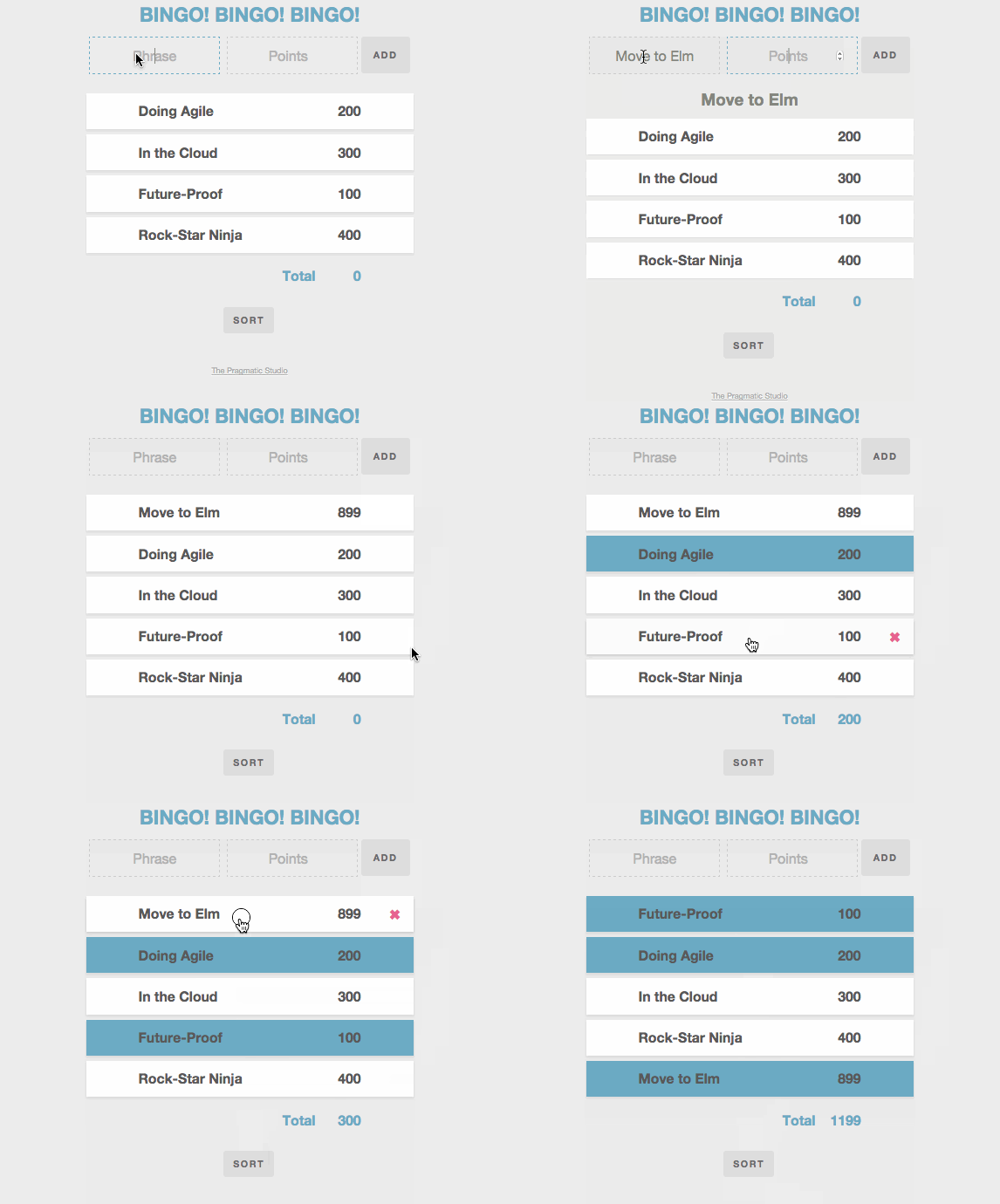
The tutorial did a great job explaining the Elm fundamentals, and I look forward to diving into their follow-up course about Elm Signals, Mailboxes, & Ports. Some of the syntax still seems a bit weird to me (such as the numerous empty brackets when there are no attributes or children to add to elements), but I'll reserve judgement until I get more exposure and practice. That being said, I already do greatly appreciate the compiler's error messages, as well as the Elm REPL. These two tools made it super easy to begin learning and debugging, and are wonderfully done.
As mentioned, I'll do another post with thoughts, impressions, and misc. notes for the next Elm course. As of right now, my favorite tool to use for UI's is still React, but who knows, maybe that'll soon change! In any case, cheers to functional programming in the front-end!